
Help

Search
XConnect Claim Validation
When enabled, DentalXChange users can get detailed claim validation immediately when sending from Open Dental.
In a Claim, click Send.
Alternatively, in a Claim, click Save.
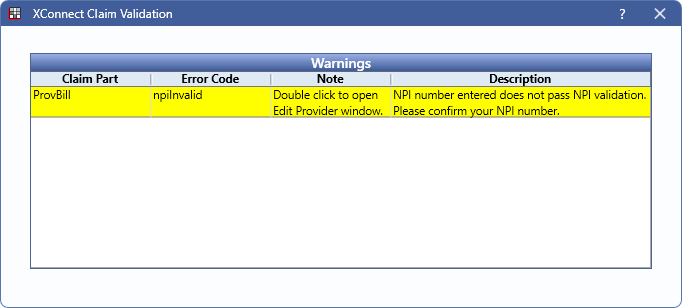
XConnect is available for DentalXChange users who have it enabled in DentalXChange ClaimConnect E-Claims clearinghouse. Claims are validated when saving or sending. If the claim fails validation, warnings are displayed in the window. Users can make the necessary edits then send the claim again.
Each warning shows in yellow as a row in the table and turns to white once resolved.
- Claim Part: The part of the claim causing a warning. Can be a procedure or field.
- Error Code: Displays the error.
- Note: Explains the area of Open Dental to resolve the error.
- Description: The explanation of the error.