

Search
Send Postcards (Advertising)
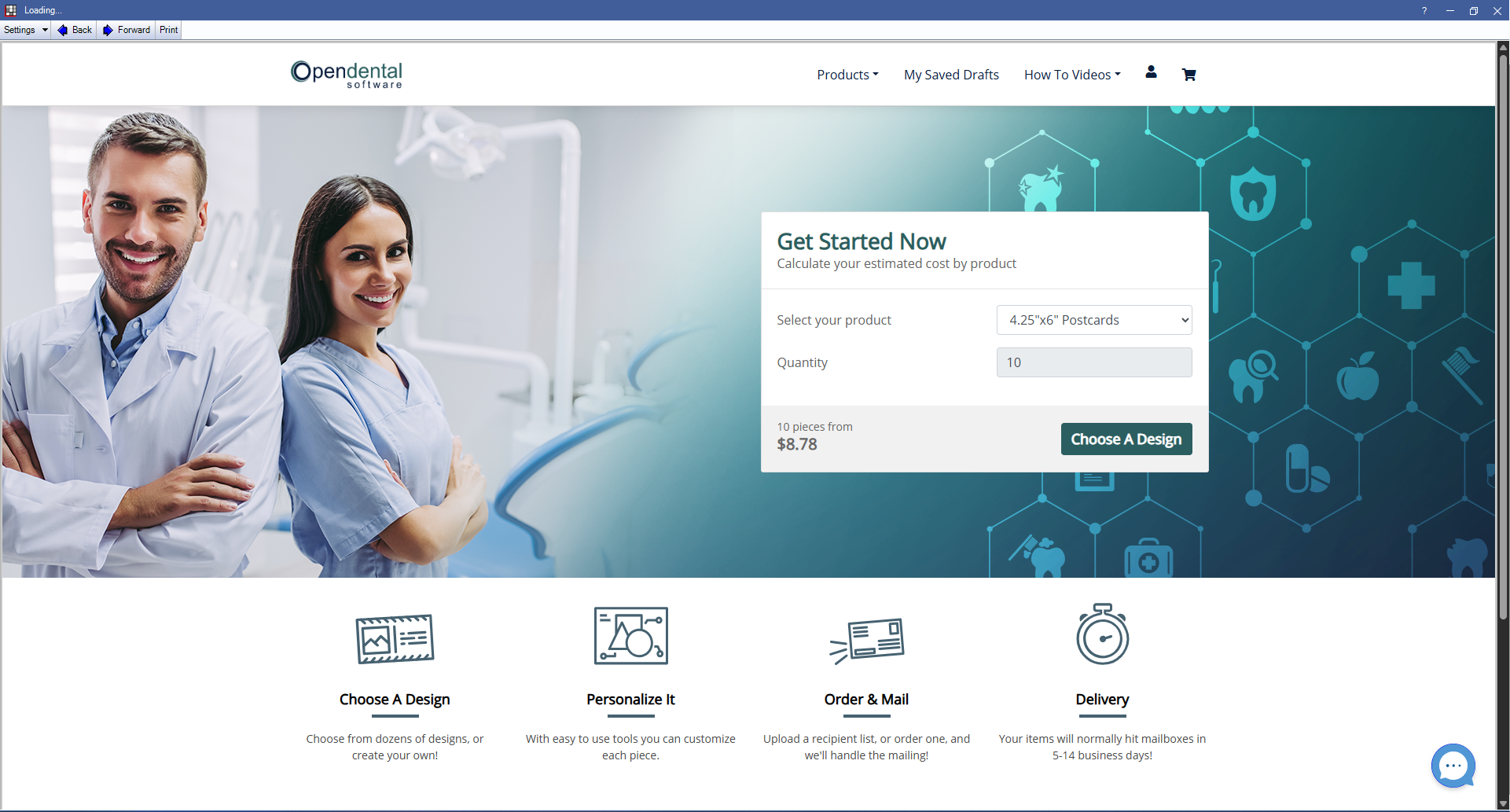
Use this window to design postcards and send them.
In Upload Postcard Recipients, click Save.
Alternatively, in Postcards Setup (Advertising), double-click an account. In the Advertising - Postcards Add Account window, click View Account Details.
For a step-by-step process for sending postcards, see Postcards (Advertising): Workflow.
Purchases made from this window are made using a card immediately upon checkout. Fees vary depending on number of cards sent and optional purchases (such as a mailing list). Purchases made through this window will not display on your Open Dental account statement.
Postcard Options
- Products: Use the dropdown to select from postcards or letters.
- My Saved Drafts: Click to view drafts of previously started postcards or letters.
- How To Videos: Use the dropdown to view a selection of How To videos for designing postcards and letters.
- Account (person icon): Click to view Order History, Personal Information, manage Recipient Lists, and Sign Out of Advertising - Postcards.
- Shopping Cart (cart icon): Click to view orders in the cart.
Choose A Design: Select the product and quantity, then click to begin designing a postcard or letter.
Chat: Chat with the postcard provider for issues or help with postcard design or setup.