

Search
Enter Pending Supplemental Insurance Overpayments/Underpayments
Use Pending Payments to update balances to reflect anticipated supplemental insurance payments.
In the Edit Claim window, at the upper-right, is a Pending Payments section.
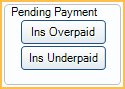
Click an option to enter pending insurance underpayments or overpayments. Amounts entered affect estimated account balances.
Ins Overpaid Click to enter a pending insurance overpayment. Opens the window shown below. Enter the amount overpaid in the Ins Overp column. Amounts are added to the claim as a negative PndSup line item.
Ins Underpaid Click to enter a pending insurance underpayment. Opens the window shown below. Enter the amount underpaid in the Ins Under column. Amounts are added to the claim as a positive PndSup line item.

To Supplemental: Change all Pending Supplemental (PndSup) payments to Supplemental (Supp). Finalize Insurance Payment after using this option.
Pending Supplemental Payments in the Account
Once Pending Supplemental amounts are added to a claim, a line item is added to the patient account. The pending supplemental amount is reflected as pending insurance in the account balance.

Pending Supplemental Payments can be tracked using the Insurance Pending Supplementals Report.
If a supplemental payment is no longer expected (e.g., entered by mistake or insurance is no longer going to make an additional payment), double-click a PndSup line on the claim and clear the applicable Ins Overp or Ins Under amounts or set to 0.